WhatsApp Web marketing toolkit
WhatsApp Marketing Chrome Extension | Install
Install MSG.AI to run WhatsApp marketing from WhatsApp Web. Chrome extension for paced campaigns, opt-in lists, translation, and scripts—without Business API setup.
Quick answer
What is a WhatsApp marketing Chrome extension?
A WhatsApp marketing Chrome extension is a browser add-on that sits inside WhatsApp Web so small teams can run outreach and follow-up campaigns—paced queues, personalized text/media, scripts, and reply helpers—without building on Meta's Official Business API. It is not Meta Ads Manager, and it is not a Cloud API / BSP marketing platform. Exact monthly search volume for the phrase "whatsapp marketing chrome extension" is not published on Extension Ranker; adjacent commercial clusters (EN-global as of 2026-07-20) show strong relative demand: WhatsApp Sender ~20K/mo, Bulk Message Sender ~18K/mo, CRM ~10K/mo, Schedule ~8K/mo.
Before you install anything, decide the job: Do you need paced one-to-many campaigns on your existing WhatsApp Web session, native Broadcast Lists to saved contacts, or Business Platform API for team inbox + approved templates? Most cross-border sellers and multilingual SMBs start with a WhatsApp Web marketing extension because setup takes minutes, lists can stay local, and you can mix bulk send with human replies. Extensions do not override WhatsApp's Terms—consent, pacing, and list quality remain your responsibility. No honest tool can promise "no bans."
Choose a Chrome extension when you already use WhatsApp Web, your list is opted-in, you need personalization or unsaved numbers, and your team is small (solo to a few people). Move to Business API when you need a shared inbox, CRM webhooks, or Meta-approved template delivery at scale.
Target audience
Who needs WhatsApp marketing tools on WhatsApp Web?
"WhatsApp marketing tools" is a broad label. For Chrome extensions, the practical buyers are teams who market through conversations—not through paid click ads inside Meta's ads UI:
- Cross-border ecommerce: Product drops, restocks, cart recovery, and post-purchase upsells to buyers who already shared a WhatsApp number at checkout or in chat.
- Multilingual SMBs: Campaigns that need AI translation and script libraries so one operator can reply in the customer's language.
- Local services & B2B follow-up: Appointment reminders, webinar invites, and partnership outreach to people who opted in via a form, event, or prior chat.
- Ecommerce support that also markets: Order updates plus light promotional follow-ups on the same WhatsApp Web session, using knowledge-base AI drafts for replies.
You probably do not need a marketing extension if:
- You only send one identical announcement to under 256 saved contacts—use native Broadcast Lists.
- You need multi-agent routing, official template categories, or CRM webhooks—evaluate a WhatsApp Business API alternative / Platform path.
- You are shopping for Meta click ads creative tools—that is Ads Manager, not a WhatsApp Web extension.
WhatsApp's Terms require people to expect your messages. Buying scraped numbers and blasting promotions is both a ban risk and often illegal under local spam/privacy rules. Build lists from checkout opt-in, QR codes, website forms, or prior conversations—and honor STOP / unsubscribe immediately.
Three paths compared
WhatsApp Web marketing extension vs Broadcast Lists vs Business API
Google's SERP for WhatsApp marketing tools is crowded with Rocket Sender–style utilities, CRM overlays, and API platforms. Clarify the channel before you compare logos:
| Dimension | Chrome extension (WhatsApp Web) | Broadcast Lists (native) | Business Platform (API) |
|---|---|---|---|
| What it is | Toolkit inside web.whatsapp.com for paced campaigns + reply helpers | Built-in one-to-many to saved contacts who also saved you | Official Cloud API via Meta / BSP: templates, webhooks, team inbox |
| Setup time | Minutes (install + QR login) | Immediate on phone/app | Days to weeks (verification, BSP, template review) |
| Personalization | CSV/Excel variables, media captions, scripts | Same message to all | Approved template variables |
| Unsaved numbers | Usually yes—see bulk without saving contacts | No | Yes |
| Team scale | Solo / small team on one Web session | Solo | Multi-agent, roles, CRM sync |
| Best marketing fit | Consent-based campaigns + human follow-up on WhatsApp Web | Identical announcements to mutual contacts | High-volume, compliance-heavy, CRM-orchestrated journeys |
Decision rule: Start with Broadcast Lists for tiny mutual-contact announcements. Use a whatsapp web marketing extension when you need paced bulk WhatsApp marketing without API onboarding, Excel personalization, translation, or media from Drive. Graduate to Business Platform when operations outgrow one Web session.
Before you install
Buyer checklist for a WhatsApp marketing campaign Chrome extension
Use this checklist to evaluate any "WhatsApp marketing campaign Chrome extension" listing—including MSG.AI—before you grant permissions.
1. Honest positioning (Web toolkit ≠ Ads ≠ API)
Look for: Clear language that the product works on WhatsApp Web, stores data locally by default, and does not claim to be Meta's official marketing API.
Red flag: Copy that mixes "official API," "Ads Manager," and "guaranteed inbox placement" for a simple Chrome add-on.
2. Pacing controls for bulk campaigns
Look for: Configurable delays (commonly in the 20–60 second range) and pause/resume. Fast blasts look automated and raise report risk. See WhatsApp Web bulk message delay.
Red flag: "1,000 messages/hour" or "undetectable blast" claims.
3. Personalization from spreadsheets
Look for: CSV/Excel merge fields (name, order ID, locale) so campaigns feel one-to-one. Details: personalized WhatsApp messages from Excel.
4. Reply stack after the campaign
Marketing on WhatsApp is incomplete without reply handling. Prefer tools that also offer scripts / quick replies, translation, and editable knowledge-base AI drafts—not unattended chatbots pretending to be humans.
5. Media and asset workflow
If product photos/videos live in Google Drive, a Drive-aware media library saves constant downloads. See WhatsApp Web Google Drive media library.
6. Privacy and permissions
Look for: Local-first contact/list storage, minimal cloud sync, transparent permission justifications. Prefer extensions that do not silently upload your entire chat history to an opaque vendor backend.
7. Export and hygiene
Campaign ops need exports: contacts, group members, chat HTML for records. Related: contact export, chat history export.
How-to
How to run a WhatsApp marketing campaign on WhatsApp Web
This workflow fits a paced Chrome extension (MSG.AI-shaped). Adjust volumes to your account age and list quality—there is no official public daily cap.
Step 1: Define the offer and segment
Write one clear CTA (restock, coupon, booking link). Segment by language, region, or last purchase. Smaller, relevant lists beat giant cold files.
Step 2: Confirm opt-in and clean the sheet
Columns such as phone,name,locale,offer_code. Remove duplicates and numbers that never opted in. Save CSV UTF-8 for non-Latin names.
Step 3: Draft + personalize + localize
Template example:
Hi {{name}}, {{offer_code}} is live for 48 hours: [link]. Reply STOP to opt out.For bilingual lists, prepare locale-specific templates or translate with preview before send. Keep promotional claims accurate.
Step 4: Attach media from a tidy library
Use one hero image or short video per segment. Oversize or irrelevant media increases ignore/report rates. Drive libraries help teams reuse approved assets.
Step 5: Configure pacing and start a small pilot
Start with a pilot (e.g., 30–50 recipients) at conservative delays. Watch early replies and blocks before scaling. Keep the WhatsApp Web tab connected while the queue runs.
Step 6: Staff replies like support, not like a blast
Use scripts for FAQs, translation for inbound languages, and AI drafts grounded in your knowledge base—always human-reviewed. For template libraries aimed at support tone, see customer service reply templates.
Step 7: Measure and archive
Export send results, note reply/opt-out rates, and archive important threads. Improve the next segment instead of simply raising volume.
Risk filter
Red flags when shopping for bulk WhatsApp marketing without API
- "Guaranteed no ban" / "undetectable" — WhatsApp restricts based on reports, content, and patterns. Tools cannot guarantee outcomes.
- Scraped lead packs bundled with the extension — Almost always non-consensual and high risk.
- Mandatory cloud upload of your full contact graph without a clear privacy story.
- Fake social proof — Invented "98% open rates" or unverifiable monthly volumes.
- Category confusion — Products claiming to be Meta Ads + Official API + unlimited Web blast in one $9 Chrome extension.
For a broader buyer frame across jobs-to-be-done (send, CRM, translate, backup), see best WhatsApp Chrome extension for business and the dedicated bulk message sender buyer guide.
Product-honest fit
Where MSG.AI fits as a WhatsApp marketing Chrome extension
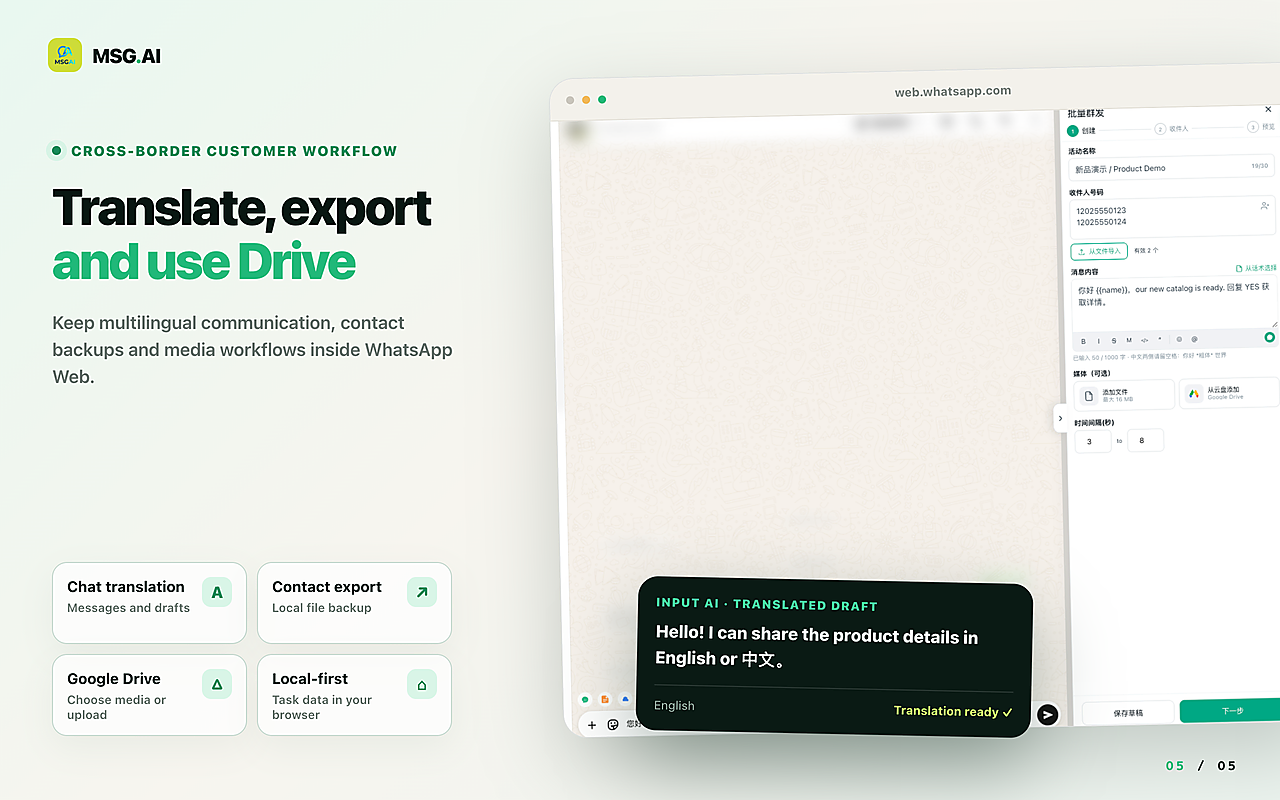
MSG.AI is a Chrome extension embedded in WhatsApp Web. It is a practical marketing + support toolkit for small teams—not an ads platform and not Meta Business Platform:
- Paced bulk send for text, images, and video queues with delays you control.
- Personalization from spreadsheet-style lists.
- AI translation and knowledge-base AI reply drafts for multilingual follow-up (editable—not autopilot spam).
- Script / quick-reply library for repeat campaign FAQs.
- Google Drive media for product assets.
- Exports for contacts, groups, and chat history.
- Local storage by default for campaign lists and workspace data on your machine/browser profile.
Honest limits: MSG.AI requires an open WhatsApp Web session; it is not a multi-agent Cloud API inbox; it does not place Meta click ads; it cannot promise account safety. If you need official template marketing at enterprise scale, plan a Platform migration path rather than forcing an extension past its design.
Compare surfaces here: Business app vs Platform vs Web extension. Sender-focused overview: WhatsApp sender Chrome extension.
Common questions
Frequently asked questions
Is a WhatsApp marketing Chrome extension the same as Meta WhatsApp marketing ads?
No. Meta's ads products run in Ads Manager and can click-to-WhatsApp. A Chrome extension runs inside your WhatsApp Web session to help you message opted-in contacts and handle replies. Different products, different compliance surfaces.
Can I do bulk WhatsApp marketing without the Business API?
Yes—many small teams use WhatsApp Web extensions for paced, consent-based campaigns without API onboarding. That path trades official template SLAs and multi-agent inboxes for speed and simplicity. It does not remove WhatsApp's rules or ban risk.
Will a marketing extension get my number banned?
No reputable extension can guarantee you will not be restricted. Risk tracks recipient complaints, message relevance, opt-in quality, and send patterns. Use pacing, smaller pilots, clear opt-out language, and stop if complaint rates rise.
How is this different from Broadcast Lists?
Broadcast Lists are native, free, and limited to mutual saved contacts with identical copy. Extensions typically allow unsaved numbers, personalization, media workflows, and reply tooling—with more responsibility on you for pacing and consent.
What features matter most for cross-border sellers?
Paced bulk send, spreadsheet personalization, translation, reusable scripts, and a media library (often Drive). CRM sync matters more once multiple agents share one brand number via Platform.
Does MSG.AI store my marketing lists in the cloud?
MSG.AI is designed for local storage by default for core workspace data. Always review the current Chrome Web Store permissions and privacy policy before installing or enabling optional cloud features.
When should I switch from an extension to Business API for marketing?
Switch when you need multi-agent inboxes, CRM orchestration, approved utility/marketing templates with provider SLAs, or volumes/processes that no longer fit one WhatsApp Web operator. Until then, a Web extension is often the pragmatic start.
Ready to run WhatsApp marketing campaigns on WhatsApp Web?
Pick tools based on channel fit, consent, pacing, and reply workflow—not hype. If you want a WhatsApp Web marketing toolkit with paced campaigns, personalization, translation, scripts, and Drive media, install MSG.AI from the Chrome Web Store and start with a small opted-in pilot.
Related guides: bulk message sender buyer guide, best extension for business, broadcast vs bulk, Business API alternative, Excel personalization.
Frequently asked questions
FAQ
Is a WhatsApp marketing Chrome extension the same as Meta WhatsApp marketing ads?
No. Meta's ads products run in Ads Manager and can click-to-WhatsApp. A Chrome extension runs inside your WhatsApp Web session to help you message opted-in contacts and handle replies. Different products, different compliance surfaces.
Can I do bulk WhatsApp marketing without the Business API?
Yes—many small teams use WhatsApp Web extensions for paced, consent-based campaigns without API onboarding. That path trades official template SLAs and multi-agent inboxes for speed and simplicity. It does not remove WhatsApp's rules or ban risk.
Will a marketing extension get my number banned?
No reputable extension can guarantee you will not be restricted. Risk tracks recipient complaints, message relevance, opt-in quality, and send patterns. Use pacing, smaller pilots, clear opt-out language, and stop if complaint rates rise.
How is this different from Broadcast Lists?
Broadcast Lists are native, free, and limited to mutual saved contacts with identical copy. Extensions typically allow unsaved numbers, personalization, media workflows, and reply tooling—with more responsibility on you for pacing and consent.
What features matter most for cross-border sellers?
Paced bulk send, spreadsheet personalization, translation, reusable scripts, and a media library (often Drive). CRM sync matters more once multiple agents share one brand number via Platform.
Does MSG.AI store my marketing lists in the cloud?
MSG.AI is designed for local storage by default for core workspace data. Always review the current Chrome Web Store permissions and privacy policy before installing or enabling optional cloud features.
When should I switch from an extension to Business API for marketing?
Switch when you need multi-agent inboxes, CRM orchestration, approved utility/marketing templates with provider SLAs, or volumes/processes that no longer fit one WhatsApp Web operator. Until then, a Web extension is often the pragmatic start.
Last checked October 1, 2026. Platform interfaces, policies, coverage and pricing can change. Follow the linked official sources before submitting an application or purchasing data.