Bulk Sending
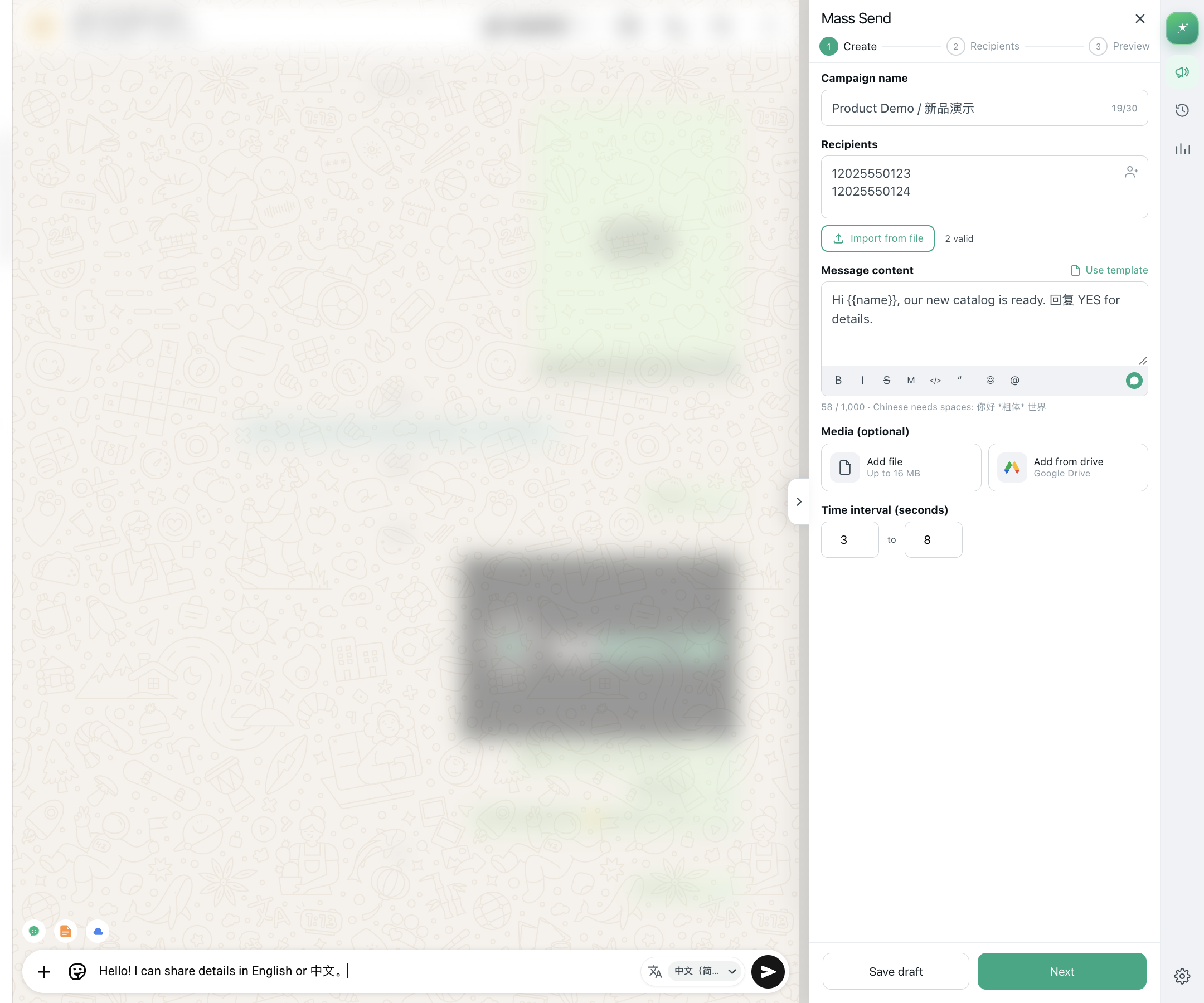
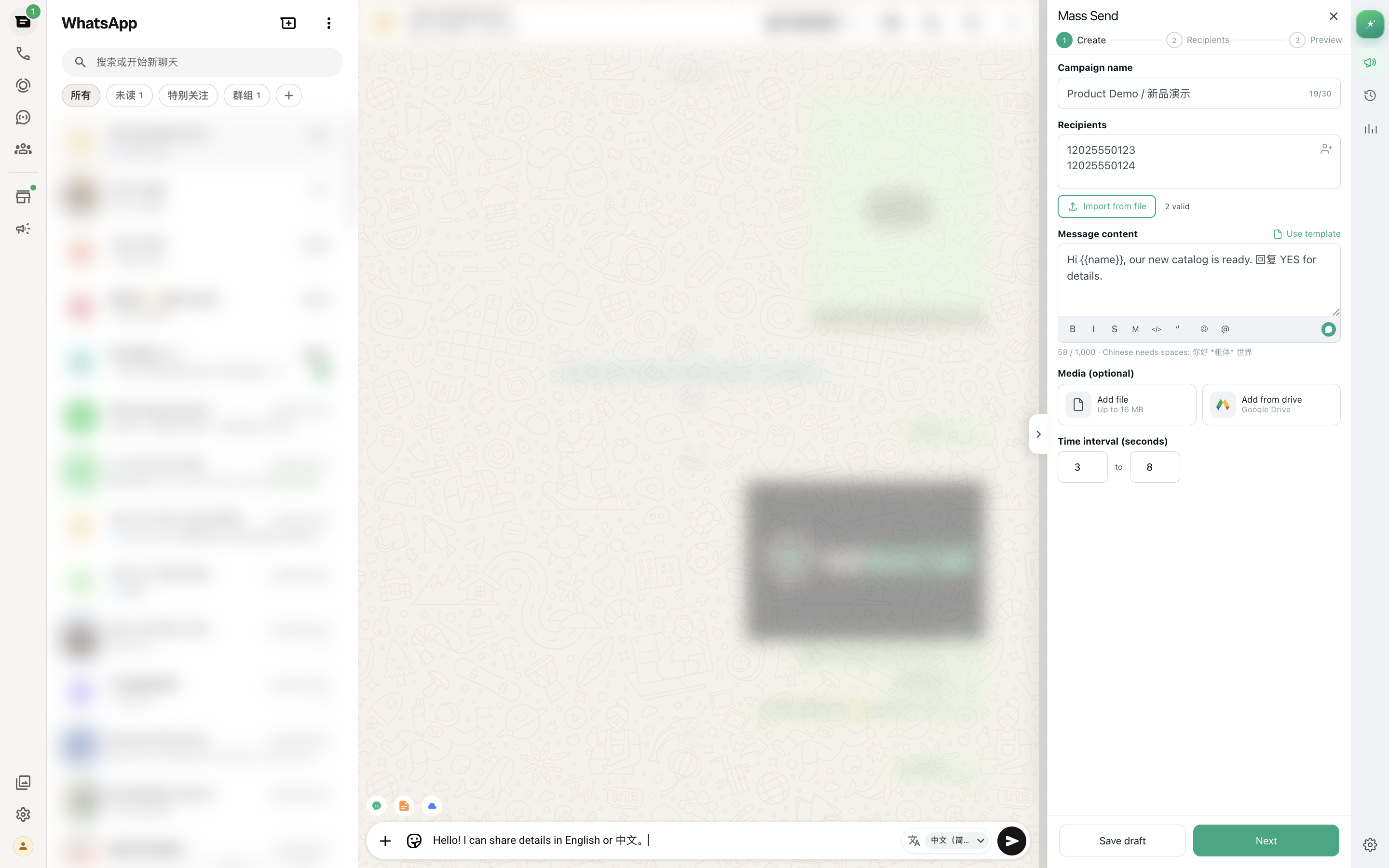
Import numbers, compose text/image/video, and queue delivery with pause/resume and live progress.
Free 10/day · Local Storage
WhatsApp Web bulk send · AI translate & reply
MSG.AI is a Chrome extension for WhatsApp Web: bulk send, AI translation, AI auto-reply, script library, and Drive media assets. Data stays local. Free: 10 msgs/day; Pro: unlimited.
5.0 Rating · 10,000+ Users
MSG.AI is a Chrome extension for WhatsApp Web — bulk send, AI translation, smart reply, and media libraries.
With MSG.AI you can queue text, image, and video messages on web.whatsapp.com; translate bubbles and drafts with AI; generate contextual auto-replies; manage script libraries and Drive media assets; and export contacts or group members. Task data stays in your browser. Google Sign-In is used for license linking and optional Drive media library access.
Official site: https://wsmsg.me. Chrome Web Store listing name: MSG.AI. OAuth / product name: MSG.AI. Privacy Policy.
Product demo
A live walkthrough of the WhatsApp Web extension — AI composer interactions and the mass-send sidebar.
Product screenshots
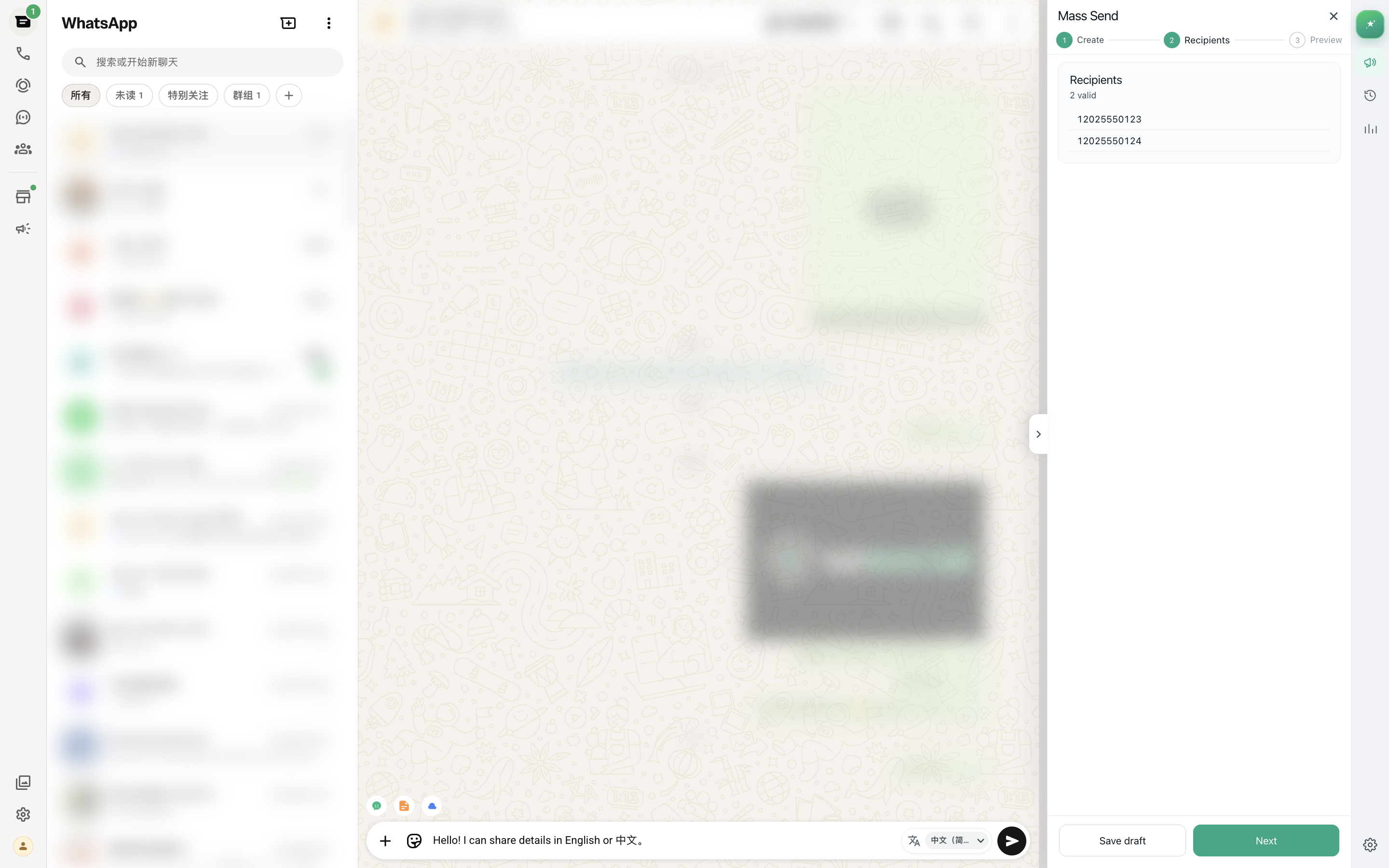
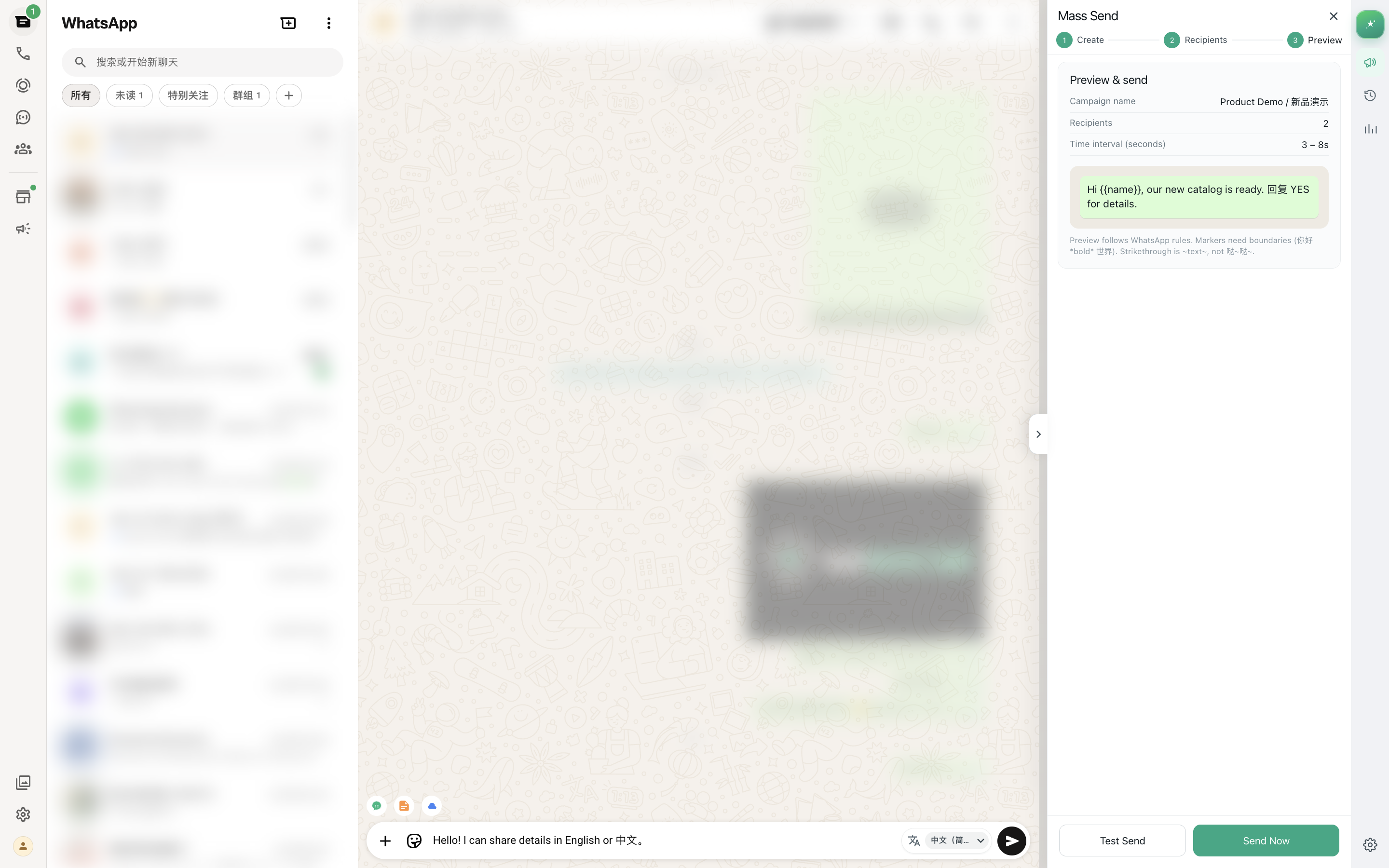
See the AI-assisted composer and right-side plugin workspace together, with Chinese and English in the same workflow.
Fictional demo data only; phone numbers and identities are masked
01Composer
02Plugin panel
Features
From campaigns and multilingual chats to reusable scripts and media — all inside WhatsApp Web.
Import numbers, compose text/image/video, and queue delivery with pause/resume and live progress.
Generate a reply draft from the current chat context in one click — edit, then send.
One-click AI translate next to bubbles and the composer, with per-chat target language.
Create, search, and edit reusable scripts; apply them in mass send or daily chats; import/export.
Browse, search, and upload images/videos on Google Drive, then pick them when sending.
Random delay between messages to mimic human pacing and reduce account risk.
Export contacts, chat peers, group members, and HTML chat transcripts — local or Drive.
Manage bulk-send tasks in one place with real-time success/fail counts and history.
Task settings and sending logs stay in your browser. No chat content uploaded to our servers.
Three simple steps to start bulk sending. No complex setup; easy for beginners.
Open MSG.AI on the Chrome Web Store and add it to Chrome
Go to web.whatsapp.com and log in with your WhatsApp account
Click the extension icon, choose contacts, enter your message, and send
Safety, ban risk, pricing, and privacy—answered briefly.
Any bulk sending carries some risk. We offer configurable random delays—keep daily volume reasonable (e.g. under ~200 messages), avoid blasting identical content in short bursts, and mimic human pacing.
No. Task settings, number lists, and logs stay in your browser. We do not collect chat content or your address book, and bulk send works without routing messages through our servers.
Signed out is Free: 10 bulk sends, 50 translations, and 10 AI replies per day. Google sign-in starts a 7-day trial: 20 / 100 / 20. Pro has unlimited bulk send, 500 translations/day, and 100 AI replies/day. Cached translations do not count; bulk send pauses at the daily cap.
Yes. One-click AI translate next to bubbles and the composer; the toolbar can draft an AI auto-reply from the current chat context — edit, then send.
Scripts can be created, searched, imported, and exported, then applied in mass send. The cloud media library connects to Google Drive so you can browse/upload images and videos and pick them when sending.
No. MSG.AI works with your logged-in WhatsApp Web session—no Meta Business API, number pools, or middlemen required.
Chrome and Chromium-based browsers (Edge, Brave, etc.). Install from the Chrome Web Store and stay signed in at web.whatsapp.com.
Each message is tracked as success or fail. Common causes: invalid number, not on WhatsApp, or network issues. Review task history and retry adjusted lists.
Yes—pause, resume, or stop anytime. Already-sent records are kept so you can batch large campaigns safely.
Email us via the footer contact link. Pro users get priority responses. We recommend a small test batch first to tune delays and copy.
Join users worldwide for efficient, secure, and controllable WhatsApp bulk sending
Install for Free