Sending limits explained
WhatsApp Message Limit Per Day (2026): App, Business App, Web and API Limits Explained
People ask "how many messages can I send on WhatsApp per day?" and get five different numbers. This guide separates the limits WhatsApp and Meta actually publish (broadcast lists, the monthly broadcast cap, forwarding, API messaging tiers) from the ones they do not, explains the monthly limit on messages to people who never reply, and gives a practical sending plan for WhatsApp Web teams, without invented safe numbers or ban guarantees.
Quick answer
Is there a WhatsApp message limit per day?
For ordinary one-to-one chats on WhatsApp, the WhatsApp Business app or WhatsApp Web, WhatsApp does not publish a fixed daily message limit. What it does publish are narrower caps: broadcast lists hold up to 256 contacts, a monthly broadcast limit is rolling out in some countries, forwarded messages can go to a limited number of chats at once, and WhatsApp has been testing a monthly limit on messages to people who do not reply. The only true per-day limit is on Meta's WhatsApp Business Platform (API), where new business portfolios start at 250 unique recipients per rolling 24 hours.
There is no official "safe number" of messages per day for the app or Web. Accounts get restricted because recipients block and report them, not because they crossed a public counter. Message people who expect to hear from you, get replies early, pace bulk sends, test small first, and stop when WhatsApp shows a limit warning. If you need thousands of business-initiated messages a day, the API is the documented route.
Below: every limit in one table, what each one really means, how the new monthly caps work, what changes on WhatsApp Web and with Chrome extensions, the API tiers, and a sending plan for small teams. Figures were checked against WhatsApp Help Center and Meta developer documentation on October 12, 2026.
Cheat sheet
WhatsApp message limits in 2026: one table
Most confusion comes from mixing limits that belong to different products. Find the row for the tool you actually send from.
| Limit | Applies to | What is published |
|---|---|---|
| Daily one-to-one messages | WhatsApp, Business app, Web | No fixed daily number published. Spam signals (blocks, reports, unusual patterns) drive restrictions. |
| Broadcast list size | WhatsApp and Business app (phone) | Up to 256 contacts per list; only people who saved your number receive it. |
| Monthly broadcast limit | WhatsApp and Business app, some countries | Help Center: rolling out gradually; up to 35 free broadcast messages per month. Check Settings > Broadcasts. |
| Unanswered / new-chat limit | Personal and business accounts in test countries | Monthly cap on messages to people who have not replied; announced as a test in October 2025, no public number. |
| Forwarding | All WhatsApp apps | Forward to up to five chats at once; messages marked "forwarded many times" go to one chat at a time. |
| Business broadcasts (paid) | Business app, limited countries | Charged per delivered message by recipient country; no free unlimited tier. |
| API messaging limit | WhatsApp Business Platform (Cloud API) | Unique recipients outside a customer service window per rolling 24h, per business portfolio: 250, 2,000, 10,000, 100,000, unlimited. |
Sources: WhatsApp Help Center About broadcast limits and How to forward messages; Meta for Developers Messaging limits; TechCrunch, October 17, 2025.
Normal and Business app
How many messages can I send on WhatsApp in a day?
If you type or paste messages to individual chats, WhatsApp does not show a daily counter, and its Help Center does not list a per-day maximum. That is why searches for "normal WhatsApp message limit per day" or "WhatsApp business message limit per day" return so many contradictory numbers: most are anecdotes from one account, or API tiers quoted out of context.
What WhatsApp does enforce is behaviour. Its automated systems look for spam patterns, and its Business Messaging Policy expects businesses to message people who gave them their number and agreed to be contacted. In practice, the signals that matter are:
- Blocks and reports. A few reports from strangers can hurt more than hundreds of welcome replies to customers.
- Unanswered first messages. Many new chats that never get a reply look like cold outreach, and now count toward a monthly cap where it is live (see below).
- Unnatural speed and repetition. Identical text to many unknown numbers in a short burst is a classic spam pattern.
- New or recently re-registered numbers sending at volume straight away.
The WhatsApp Business app gives you labels, catalogues, greeting and away messages and quick replies, but it does not give you a higher published daily allowance than the normal app. "Switch to Business and the limit disappears" is not something WhatsApp promises.
You will see blogs promise 200, 500 or 1,000 messages a day. WhatsApp has never published such a figure for the app or Web, and an account that messages 50 annoyed strangers can be restricted while one that answers 500 customers is fine. Treat any fixed number as someone's guess.
Broadcast lists
WhatsApp broadcast limit: 256 contacts and the monthly cap
Broadcast lists have two separate limits, and people often mix them up:
- 256 contacts per list. You can create many lists, but each holds at most 256 contacts, and only recipients who saved your number in their address book receive the message. Others silently get nothing.
- A monthly broadcast limit. WhatsApp's Help Center now says people in some countries might see a monthly broadcast limit, rolling out gradually, and states that you can send up to 35 free broadcast messages per month. You can check yours under Settings > Broadcasts, and WhatsApp notifies you when you are close.
In some countries the Business app also offers business broadcasts, which can reach customers and are paid per delivered message based on the recipient's country code. That is a paid product, not a way around the free cap. Broadcast lists also are not available from WhatsApp Web or Desktop; you send them from the phone.
For when a broadcast list is the right tool and when a paced one-to-one queue is better, read WhatsApp broadcast list vs bulk sender.
New for 2025-2026
The WhatsApp monthly message limit for people who do not reply
On October 17, 2025, WhatsApp told TechCrunch it would test limiting how many messages individuals and businesses can send to people who do not respond. Reported details:
- The limit is monthly and covers personal and business accounts.
- Every message to someone who has not replied counts. Three follow-ups to a silent contact use three.
- When the person replies, those messages stop counting.
- WhatsApp did not publish a number because it was testing different limits; a warning shows your count as you approach it.
- Ordinary users are not expected to hit it. It targets accounts that message many unknown people.
Some users report an in-app notice that names a monthly allowance and a reset date. Numbers in those reports vary by account, so trust the notice in your own app rather than a figure from a video.
This matters most for exporters, sales teams and ecommerce shops that open chats with leads from a spreadsheet. The fix is not a faster tool. It is earning replies: invite customers to message you first (click-to-chat links on invoices, product pages and parcels), ask a question worth answering in the first message, and follow up once rather than four times. Our follow-up message templates are written for that.
Desktop teams
WhatsApp Web message limit and Chrome extensions
WhatsApp Web and Desktop are linked devices for your phone account. Messages sent from Web count exactly like messages sent from the phone, and every limit above applies to the same account. There is no separate "Web limit", and no browser setting that raises one.
A WhatsApp Web Chrome extension can make sending more organised: personalised messages from a spreadsheet, delays between chats, pause and resume, translation, saved scripts. It cannot change how WhatsApp counts or judges your messages. If an extension advertises "unlimited messages", "anti-ban mode" or "bypass the 256 limit", treat that as a red flag. For a buyer checklist see the bulk message sender Chrome extension guide.
Delays help with one specific risk: bursts of identical messages. They do not change a monthly count, and 50 unanswered openers are still 50 whether they go out in ten minutes or a week. For how to set intervals, read how to pace WhatsApp Web bulk sends.
Business Platform
WhatsApp Business API message limit per day
The WhatsApp Business Platform is the only product with a documented daily cap. According to Meta's developer documentation:
- The messaging limit is the number of unique WhatsApp users a business can deliver messages to outside a customer service window, in a moving 24-hour period.
- Limits are set per business portfolio and shared by all its phone numbers.
- New portfolios start at 250. Completing a scaling path (for example business verification) unlocks 2,000; automatic scaling can move to 10,000, 100,000 and unlimited when quality is high and you use at least half your limit over 7 days.
- Replies inside an open 24-hour customer service window do not count against it.
- Separately, WhatsApp may cap how many marketing template messages one user receives from businesses, based on that user's engagement.
The API needs Meta-approved templates to start conversations, charges per message, and usually runs through a provider. If you are weighing that switch, compare the options in Business app vs Platform vs web extension and WhatsApp Business API alternatives.
Practical playbook
A sending plan that stays inside WhatsApp limits
- Start from consent. Message people who gave you their number for this purpose: customers, enquiries, opted-in subscribers. Our GDPR and opt-in checklist has wording.
- Let customers start chats. Use click-to-chat links on your store, invoices and packaging so replies are part of conversations they opened.
- Make the first message easy to answer. One short question beats a long promo. Replies remove messages from the unanswered count.
- Personalise and localise. Use the customer's name, order and language. Identical text to everyone looks like spam.
- Test small, then grow. Send to a small segment, read replies and blocks, then decide on the next batch. New numbers should ramp slowly.
- Pace the queue. Use varied delays and pause between batches instead of firing a whole list at once.
- Watch the warnings. If WhatsApp shows a broadcast or new-chat limit notice, stop starting new chats and work your open conversations.
- Make opting out easy and honour it immediately. Remove people who ask, and do not re-add them from an old spreadsheet.
- Move true volume to the API. If your plan needs thousands of business-initiated messages per day, the Business Platform is built and priced for it.
Product fit
Where MSG.AI fits (and what it will not do)
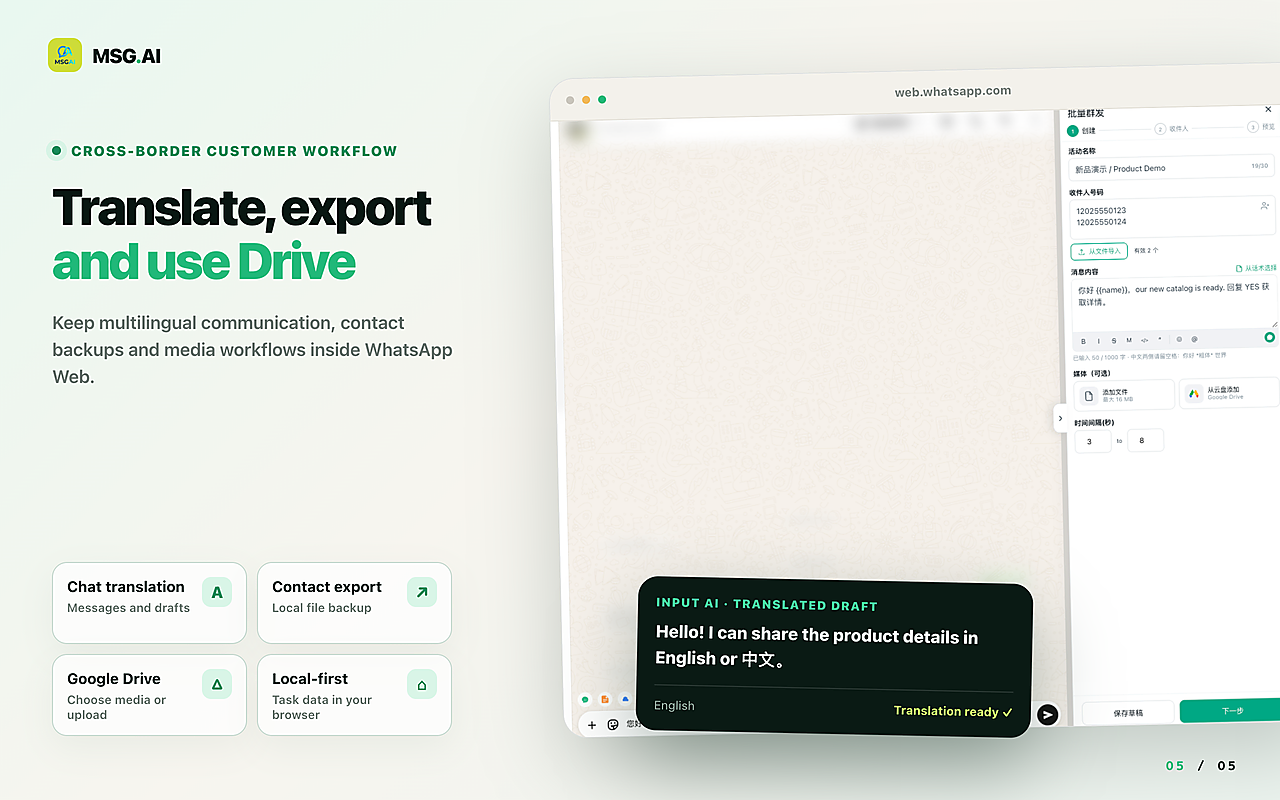
MSG.AI is an independent Chrome extension that runs inside WhatsApp Web. It is built for cross-border sellers, ecommerce support and multilingual small teams who already work in WhatsApp Web and want to send to opted-in contacts with less manual copy-paste:
- Paced bulk sending of text, images and video through your own WhatsApp Web session, one chat at a time, with fixed or random delays, progress tracking, and pause/resume.
- Personalisation from a spreadsheet so each customer gets their own name and details; see personalised messages from Excel.
- AI translation and knowledge-base reply drafts you review before sending, so replies come faster in the customer's language.
- Script library, Google Drive media and contact, group and chat export for tidy follow-up.
- Local storage by default: task data stays in your browser unless you use cloud features such as AI translation.
MSG.AI does not raise, reset or bypass any WhatsApp limit, does not send broadcast lists, and is not the Meta Business API. Messages it sends count against your account like any other. No tool can guarantee your number will not be restricted. MSG.AI is not affiliated with Meta or WhatsApp.
FAQ
WhatsApp message limit FAQ
What is the WhatsApp message limit per day?
WhatsApp does not publish a daily limit for normal chats on the app, Business app or Web. The documented per-day limit belongs to the Business Platform API, starting at 250 unique recipients per rolling 24 hours for new business portfolios.
What is the WhatsApp Business app message limit per day?
The Business app has no published daily cap for one-to-one chats. It shares the 256-contact broadcast list rule, the monthly broadcast limit where rolled out, and the unanswered-message test with the normal app.
How many messages can I send on WhatsApp without getting banned?
There is no official number. Restrictions follow spam signals such as blocks, reports and many unanswered chats to unknown numbers. Messaging people who expect you, with pacing and easy opt-out, matters more than any count.
What does "WhatsApp broadcast limit 35" mean?
In countries where WhatsApp has rolled out its monthly broadcast limit, the Help Center says you can send up to 35 free broadcast messages per month. Check Settings > Broadcasts to see whether it applies to you.
Does WhatsApp Web have a different message limit?
No. WhatsApp Web is a linked device of the same account, so the same limits and spam checks apply whether you send from the phone, Desktop or Web.
Can a Chrome extension increase my WhatsApp message limit?
No. An extension can pace, personalise and organise sending inside WhatsApp Web, but it cannot change WhatsApp's limits or detection. Avoid tools that claim otherwise.
Send less like a robot, more like a business
Know which limit applies to you, message people who want to hear from you, and pace what you send. Install MSG.AI from the Chrome Web Store to run paced, personalised and translated sends to opted-in contacts inside WhatsApp Web.
Related guides: bulk message delay settings, broadcast list vs bulk sender, bulk messages without saving contacts, marketing message templates.
Frequently asked questions
FAQ
What is the WhatsApp message limit per day?
WhatsApp does not publish a daily limit for normal chats on the app, Business app or WhatsApp Web. The documented per-day limit is on the WhatsApp Business Platform API, where new business portfolios start at 250 unique recipients per rolling 24 hours and can scale to 2,000, 10,000, 100,000 or unlimited.
What is the WhatsApp Business app message limit per day?
The Business app has no published daily cap for one-to-one chats. It follows the same 256-contact broadcast list rule, the monthly broadcast limit where it has rolled out, and the unanswered-message limit test as the normal app.
How many messages can I send on WhatsApp without getting banned?
There is no official safe number. Restrictions are driven by spam signals such as blocks, reports and many unanswered chats to unknown numbers. Message people who expect to hear from you, pace bulk sends, and make opting out easy.
What does WhatsApp broadcast limit 35 mean?
In countries where WhatsApp has rolled out its monthly broadcast limit, the Help Center says you can send up to 35 free broadcast messages per month. Check Settings > Broadcasts to see your allowance.
Is there a WhatsApp monthly message limit?
WhatsApp has tested a monthly limit on messages sent to people who do not reply, announced in October 2025 for personal and business accounts. Messages stop counting once the person replies, and WhatsApp has not published a single number.
Does WhatsApp Web have a different message limit?
No. WhatsApp Web is a linked device of the same account, so the same limits and spam checks apply whether you send from the phone, Desktop or Web.
Can a Chrome extension increase my WhatsApp message limit?
No. Extensions such as MSG.AI can pace, personalise and translate messages inside WhatsApp Web, but they cannot raise or bypass WhatsApp limits or detection. Avoid tools that promise unlimited or ban-proof sending.
Last checked October 12, 2026 against the WhatsApp Help Center (broadcast limits, forwarding), Meta for Developers messaging-limits documentation and public reporting on the unanswered-message test. Limits roll out by country and change over time; check your own app and current Meta documentation. MSG.AI is not affiliated with Meta or WhatsApp and does not guarantee account safety.