Click to chat guide
WhatsApp Click to Chat Links (wa.me): How to Create, Pre-fill a Message, Add a QR Code and Website Button (2026)
A WhatsApp click to chat link lets a customer open a chat with your number in one tap — no contact save required. This guide shows the official wa.me format, how to pre-fill a message, how to turn the same link into a QR code or website button, and what to do when the chats start arriving on WhatsApp Web.
Quick answer
How to create a WhatsApp click to chat link
Use WhatsApp's official short URL: https://wa.me/<full international number>. Digits only — country code plus the local number, with no plus sign, spaces, brackets or leading zeros. Optional pre-filled text goes in ?text= after URL-encoding. Example: https://wa.me/15551234567?text=Hi%2C%20I%20saw%20your%20ad. The older twin https://api.whatsapp.com/send?phone=15551234567&text=... does the same job. Put the link on your website, Instagram bio, Google Business Profile, invoice or parcel sticker. Scanning a QR code of that URL opens the same chat.
Click to chat is free and built into WhatsApp. You do not need the Business API or a paid "link generator" SaaS. What you do need is a plan for the chats that arrive: who answers, which script they use, and how you pace follow-ups so the number stays healthy.
Below: what click to chat actually does, the exact link formats, how to write a useful pre-filled message, Business app Short link and QR codes, website and Google Business buttons, simple campaign tracking without fake UTM magic, common format mistakes, and how WhatsApp Web teams handle the inbound volume. Checked against the WhatsApp Help Center on October 14, 2026.
Basics
What WhatsApp click to chat is (and is not)
Click to chat is WhatsApp's official way to open a conversation from a URL. The customer does not have to save your number first. On a phone with WhatsApp installed, the link opens the app with your chat ready; on a computer it typically opens WhatsApp Web or prompts for the app. Nothing is sent until the customer taps Send — the pre-filled text only appears in the compose box.
That is different from:
- Click-to-WhatsApp ads in Meta Ads Manager, which open a chat from an ad creative and often need Business Platform tooling for tracking.
- Outbound bulk send from your side to numbers you already have (see sending without saving contacts).
- Group invite links, which join someone to a group rather than a 1:1 chat with your business number.
For cross-border sellers and small support teams, click to chat is usually the cleanest inbound path: the customer chooses to write first, which is the strongest consent signal you can get before you reply.
URL format
wa.me link format: the rules that break most links
WhatsApp documents three interchangeable shapes. Prefer the short one:
| Format | Example | Notes |
|---|---|---|
| wa.me (preferred) | https://wa.me/15551234567 |
Number in the path; optional ?text= |
| api.whatsapp.com | https://api.whatsapp.com/send?phone=15551234567 |
Same behaviour; phone in the query |
| web.whatsapp.com | https://web.whatsapp.com/send?phone=15551234567 |
Often used when you expect desktop openers |
| Message only | https://wa.me/?text=Hi%20team |
Opens a contact picker; customer chooses who receives the text |
Number rules from WhatsApp's Help Center:
- Use the full international number (country code + national number).
- Digits only — strip
+, spaces, dashes and brackets. - Do not keep a leading zero on the national part after the country code (UK
07700…becomes447700…). - Test on a second phone before you print 10,000 stickers.
Sources: WhatsApp Help Center How to use click to chat and How to link to WhatsApp from a different app.
Pre-fill
Add a pre-filled message that agents can actually use
Append ?text= plus URL-encoded text. Spaces become %20 (or +), commas %2C, line breaks %0A. Keep the message short — long URLs get truncated by some apps and SMS gateways.
Good pre-fills tell you where the lead came from and what they want:
Hi, I saw your Instagram catalog — do you ship to UAE?Order follow-up from invoice INV-2041[WEB-HOME] Quote request for wholesale MOQ[GBP] Open now — table for 2 tonight?
A short source code in brackets ([IG], [WEB], [PKG]) is more reliable than hoping WhatsApp will report clicks. WhatsApp does not send you click analytics for wa.me links, and UTM parameters on a wa.me URL are ignored by WhatsApp itself.
If you sell in several languages, make one link per language or per market rather than one mega-message. Your welcome and away scripts should match — see welcome and away message templates.
Offline
WhatsApp Business QR code and Short link
If you use the WhatsApp Business app, Tools → Short link gives you a business short link and a QR code that opens a chat with an optional default message. You can share, save or print that QR for storefronts, packaging, table tents and event badges. The QR does not expire unless you reset it or delete the business account.
You can also encode any wa.me URL in a normal QR generator (PNG/SVG) and print it yourself. Prefer high contrast, leave quiet space around the code, and test with a few phone cameras before a print run.
Note: many people searching "WhatsApp QR code" are trying to log in to WhatsApp Web, not market a business. If your phone shows a login QR, that is Settings → Linked devices — a different feature from a business click-to-chat QR.
On-site
Website button, Instagram bio and Google Business Profile
Anywhere you can paste a URL, you can paste a wa.me link:
- Website: text link, floating chat button, or product-page CTA. A minimal HTML example:
<a href="https://wa.me/15551234567?text=Hi%20from%20the%20website" target="_blank" rel="noopener">Chat on WhatsApp</a>. - Instagram / TikTok / Xiaohongshu bio: one link; use a distinct pre-fill so agents recognise the channel.
- Google Business Profile: add the click-to-chat URL as a website or chat link where the profile allows it — autocomplete demand for "whatsapp click to chat url for google business profile" is high for a reason.
- Email signature, invoice PDF, parcel insert: same link, different pre-fill codes.
Make the button label concrete ("Ask about shipping on WhatsApp") rather than a generic green logo with no context. Customers who know why they are opening the chat send better first messages.
Measurement
How to tell which WhatsApp link worked
wa.me does not report impressions or clicks to you. Practical patterns that still work for SMBs:
- Unique pre-filled codes per placement (
[IG],[FB],[WEB-PDP],[QR-STORE]) and a simple spreadsheet tally of first messages. - Landing page in front of the button when you need Google Analytics or ads attribution: tag the page with UTMs, put the WhatsApp button on that page, and measure page views plus chat starts your team logs.
- Separate numbers only when volume and staffing justify it — more numbers mean more linked-device and compliance overhead.
If you run paid Click-to-WhatsApp ads at scale, tracking usually needs the Business Platform and conversion import; that is a different stack from a free wa.me link on your site. For most boutique exporters and support desks, coded pre-fills are enough.
Operations
After they click: handle inbound chats without burning the number
A working link is the easy part. The hard part is answering in the customer's language, with the right product details, during your real working hours — and not sliding into spammy follow-ups that earn blocks. A practical inbound checklist:
- Answer fast on the first message. Even a short "Got it — checking stock / shipping options" beats silence.
- Use a welcome or away script so after-hours clicks still get a clear next step (templates here).
- Keep consent and opt-out clean if you later message the same people about offers — see the GDPR and opt-in checklist.
- Follow up once or twice, not five times. Follow-up templates help without nagging.
- Respect published and unpublished limits when the same number also does outreach — message limits explained.
- Pace any batch replies (restock alerts to people who already wrote in) — bulk delay guide.
Inbound click-to-chat leads are usually safer than purchased lists because the customer started the thread. They are not risk-free: identical blasts, aggressive upsells or ignoring "stop" still produce reports.
Troubleshooting
Common WhatsApp link mistakes
- Keeping the plus sign or spaces in the number (
wa.me/+1 555…) — strip them. - Forgetting the country code or leaving a national leading zero.
- Not URL-encoding the pre-filled text, so the link cuts off at the first space or ampersand.
- Pasting a login QR (Linked devices) onto packaging instead of a chat QR.
- One generic link for every channel with no source code, so you cannot tell what works.
- No staffing plan — the link works, the inbox piles up, customers block you.
- Paying for a "special" generator that only outputs the same free wa.me URL you can type by hand.
Product fit
Where MSG.AI fits (and what it cannot do)
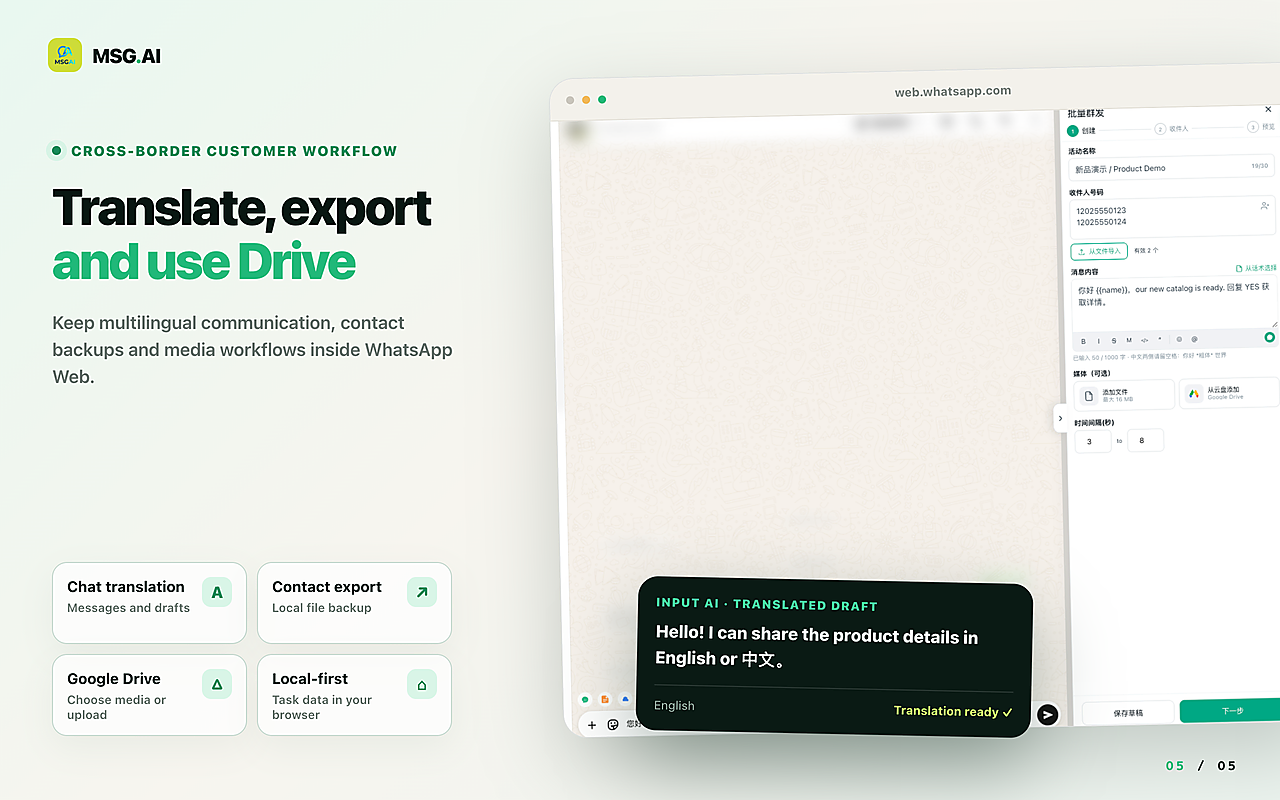
MSG.AI is an independent Chrome extension that runs inside WhatsApp Web for cross-border sellers, ecommerce support and multilingual small teams. It does not replace wa.me and it does not generate click-to-chat links — those are free and official. After a customer taps your link and the chat lands in WhatsApp Web, MSG.AI helps you work that inbox:
- Script library / quick replies for common first answers (shipping, MOQ, size chart) so every agent starts from the same wording.
- AI translation and knowledge-base reply drafts you review before sending, useful when Instagram and website leads write in different languages.
- Paced sending when you need to follow up a segment of people who already messaged you (restock, quote ready), with delays you control.
- Personalisation from a spreadsheet for order-status style replies; see personalised messages from Excel.
- Google Drive media and contact / chat export for handoff and records.
- Local storage by default: task data stays in your browser unless you use cloud features such as AI translation.
MSG.AI is not affiliated with Meta or WhatsApp, is not the WhatsApp Business API, and cannot invent click analytics for wa.me. WhatsApp's guidance still discourages bulk and auto messaging on its consumer and Business apps — that applies to every WhatsApp Web tool, including MSG.AI. Use inbound links to invite real customers, then reply like a human team.
FAQ
WhatsApp click to chat FAQ
What is a WhatsApp click to chat link?
It is an official WhatsApp URL (usually wa.me) that opens a chat with a specific number. The customer does not need to save the contact first, and nothing is sent until they tap Send.
How do I create a wa.me link with a message?
Use https://wa.me/COUNTRYCODEPHONENUMBER?text=URL_ENCODED_TEXT. Digits only in the number. Encode spaces and punctuation in the text. Test the finished URL on a phone.
Is a WhatsApp link generator safe?
Most generators only assemble the same public wa.me URL format. Prefer tools that run in your browser and do not upload your number. You can also build the link by hand from WhatsApp's Help Center format.
Can I add a WhatsApp button to my website?
Yes. Link any button or text to your wa.me URL. Use a clear label and a pre-filled message that names the page or offer so agents know the source.
Does a WhatsApp QR code expire?
A Business app Short-link QR does not expire unless you reset it or delete the account. A QR you print from a wa.me URL works as long as that number stays on WhatsApp and the URL stays correct.
Will click to chat get my number banned?
Letting customers message you first is generally safer than blasting strangers. Bans still happen if you spam, ignore opt-outs or use unofficial apps. See WhatsApp account banned for prevention habits.
Put the link where customers already look
Build one correct wa.me link, add a short pre-filled message, and place it on your site, bio and packaging. When the chats arrive on WhatsApp Web, install MSG.AI from the Chrome Web Store to answer with scripts, translation and paced follow-ups — without pretending the extension created the link.
Related guides: welcome and away templates, follow-up templates, send without saving contacts, account banned guide.
Frequently asked questions
FAQ
What is a WhatsApp click to chat link?
It is an official WhatsApp URL (usually wa.me) that opens a chat with a specific number. The customer does not need to save the contact first, and nothing is sent until they tap Send.
How do I create a wa.me link with a message?
Use https://wa.me/COUNTRYCODEPHONENUMBER?text=URL_ENCODED_TEXT. Digits only in the number. Encode spaces and punctuation in the text. Test the finished URL on a phone.
Is a WhatsApp link generator safe?
Most generators only assemble the same public wa.me URL format. Prefer tools that run in your browser and do not upload your number. You can also build the link by hand from WhatsApp's Help Center format.
Can I add a WhatsApp button to my website?
Yes. Link any button or text to your wa.me URL. Use a clear label and a pre-filled message that names the page or offer so agents know the source.
Does a WhatsApp QR code expire?
A Business app Short-link QR does not expire unless you reset it or delete the account. A QR you print from a wa.me URL works as long as that number stays on WhatsApp and the URL stays correct.
Will click to chat get my number banned?
Letting customers message you first is generally safer than blasting strangers. Bans still happen if you spam, ignore opt-outs or use unofficial apps. Prevention habits matter more than the link format itself.
What is the difference between wa.me and api.whatsapp.com/send?
They open the same click-to-chat behaviour. wa.me is the short official form WhatsApp recommends; api.whatsapp.com/send is the older equivalent with the number in a phone query parameter.
Last checked October 14, 2026 against the WhatsApp Help Center (click to chat, linking to WhatsApp from another app, Business Short link and QR code articles). Link formats and Business app menus can change. MSG.AI is not affiliated with Meta or WhatsApp, does not generate wa.me links and is not the WhatsApp Business API.