Business number guide
WhatsApp Business Number (2026): How to Get One, Use a Landline or Second Number, and Run It on WhatsApp Web
WhatsApp does not give you a phone number. You register one you already own, and that choice decides who can reach you, which devices you can use and what happens if you ever lose the line. This guide covers supported numbers, landlines, second numbers, changing and moving numbers, the API option and a practical setup for small cross-border teams.
Quick answer
What is a WhatsApp Business number?
A WhatsApp Business number is simply the phone number you register in the free WhatsApp Business app (or on the WhatsApp Business Platform, the "API"). WhatsApp does not issue numbers. You bring a number you own, verify it with a 6-digit code by SMS or phone call, and that number becomes your business identity in every chat.
Use a mobile or landline number you own that can receive an SMS or a call. VoIP, toll-free, premium-rate and universal access (UAN) numbers are not supported. One number can be active on WhatsApp Messenger or WhatsApp Business, not both, so most owners keep a separate number for the business. The app is free; you only pay your carrier for the line.
Below: which numbers work, the cheapest ways to get one, how landline registration works, running personal and business numbers side by side, changing or moving a number safely, what cross-border sellers should consider, how numbers work on the API, and how to run the number from a computer with WhatsApp Web. Checked against the WhatsApp Help Center on October 21, 2026.
Requirements
Which phone numbers can you use for WhatsApp Business?
WhatsApp's registration article for the Business app lists the requirements. In plain terms:
| Number type | WhatsApp Business app | Notes |
|---|---|---|
| Mobile number (SIM or eSIM) | Supported | The usual choice. Must receive SMS or calls for the code. |
| Landline (fixed) number | Supported | Verify with Call me. Extensions cannot be used. Landlines are not supported on regular WhatsApp Messenger. |
| VoIP / internet numbers | Not supported | Listed as unsupported by WhatsApp. |
| Toll-free and premium-rate numbers | Not supported | Includes paid premium numbers. |
| Universal access numbers (UAN) | Not supported | Shared "one number for all branches" lines. |
| A number already on WhatsApp Messenger | Only if you move it | You can move the account to the Business app, but it then stops working on Messenger. |
Two more conditions matter in practice: you must own the number (WhatsApp sends the code only to that line), and call-blocking apps or settings must be off while you register. If you are roaming or on a weak connection, registration may fail, so register where the number has good reception.
Getting a number
How to get a WhatsApp Business number (often for free)
"Does WhatsApp Business give you a phone number?" No. But a business number rarely costs more than an ordinary phone plan. Common options:
- Use a spare SIM or a second eSIM. Many phones support dual SIM. A low-cost prepaid plan that can receive SMS is enough. Keep it topped up so the carrier does not recycle the number.
- Use your shop or office landline. Free if you already pay for it, and customers may already know it (see the next section).
- Move your current WhatsApp number to the Business app if customers already message you there and you are happy to use a new personal number.
- Get a new mobile line from your carrier for a clean separation between personal and business chats.
Then install WhatsApp Business, tap Agree and continue, choose your country, enter the number without a leading 0, and enter the 6-digit code. Never share that code with anyone: legitimate support will not ask for it. Finish by filling in your business profile.
Many services sell numbers marketed for WhatsApp. WhatsApp does not support VoIP numbers, and any number you rent stays tied to that provider's contract. If the rental ends, or the provider reassigns the number, you can lose access to the account and its chat history. If you use one, confirm it is a real mobile or fixed line that can receive SMS or calls, and that you will control it for years, not months.
Landline
Using a landline number for WhatsApp Business
Landlines work only on the WhatsApp Business app, not on regular WhatsApp. They suit shops, clinics and offices whose landline is already on their signage and website.
- Install WhatsApp Business on a smartphone (the landline only receives the code; the account runs on the phone).
- Enter the landline with the country code and no leading 0.
- Wait for the SMS timer to run out, then tap Call me.
- Answer the landline. An automated voice reads the 6-digit code; enter it in the app.
Remove call screening, IVR menus or forwarding that would stop the automated call reaching a person, and do not use an extension: WhatsApp cannot deliver the code to one. After registration, chats arrive on the smartphone and on any linked devices such as WhatsApp Web, not on the desk phone itself.
Two numbers
Personal and business numbers, and running more than one
WhatsApp requires a unique number for each app. The common setups:
- One phone, two numbers: WhatsApp Messenger on your personal number and WhatsApp Business on the business number, side by side on a dual-SIM phone.
- Two business numbers on one phone: WhatsApp has been rolling out a second-account option in its Android apps. If your app shows an option to add an account in Settings, each account still needs its own verifiable number. If it does not, use a second phone or keep one number per brand on separate devices.
- One number, several people: that is not a second number at all. The Business app lets one number run on the primary phone plus up to four linked devices (computers via WhatsApp Web or Desktop, or companion phones). Meta Verified or Meta One multi-agent plans raise that to 10 and add chat assignment where available.
Each number is a separate account with its own profile, chats, labels or lists, catalog and quick replies. Two numbers double the admin. Add a second number only for a real reason, such as a different brand, language market or region.
Change or move
Changing your WhatsApp Business number or moving accounts
Three situations come up again and again:
- New number, same business. Use Settings > Account > Change number in the Business app. Your profile, settings and chats move to the new number, and you can choose to notify all contacts, contacts you have chats with, or selected contacts. Groups you are in are notified automatically. Update the number on your website, ads, click-to-chat links and QR codes on the same day.
- From WhatsApp Messenger to WhatsApp Business. Install the Business app and register the same number; WhatsApp offers to move your chat history. The number then stops working on Messenger. You can move back later from the Business app.
- From the app to the API. Moving a number onto the WhatsApp Business Platform normally removes it from the app, unless your provider supports Meta's coexistence option for using the app and the API on the same number. Ask about chat history before you migrate.
Before any change, back up your chats, make sure both numbers can receive SMS or calls, and turn on two-step verification and a passkey or email address so you can recover the account. If a number is restricted, changing to a new one is not a way around it; see what to do if a WhatsApp account is banned.
Cross-border sellers
Choosing a number when you sell across borders
Customers see your country code before they read a word, so the number is part of your brand. Practical points for exporters, marketplace sellers and multilingual support teams:
- Home number or local number? A local number in your main market can feel more familiar to buyers, but you can only register a line you own and can keep receiving codes on. A long-lived home number is usually safer than a short-term local SIM.
- Plan for travel. Registration may fail while roaming. Register before you travel and keep the SIM active; linked devices keep working without the phone online, but if the primary phone is not used for 14 days, linked devices are logged out.
- One number per language market only if you can staff it. A single number with good translation often beats three half-answered numbers.
- Publish it consistently. Use the same number on your store, marketplace profile, invoices and wa.me links so buyers can recognise you.
- Protect it. Losing the SIM, letting a prepaid line lapse or sharing the code can cost you the account. Treat the number like a company asset, with an owner and a renewal reminder.
API
Numbers on the WhatsApp Business Platform (API)
If you use the API through a provider, the number also has to be one you own that can receive an SMS or voice call for verification, and it is registered to your Meta business portfolio rather than to an app on a phone. Rules that catch people out:
- A number in use on the Business app usually has to be migrated (or connected through coexistence where supported) before the API can use it.
- The API has no phone app of its own. Your team works through the provider's inbox.
- Messages are billed per delivered message by category and country, and since October 1, 2026 service replies are billed after 1,000 free per number each month. See WhatsApp Business API pricing.
Not sure which you need? Compare the options in Business app vs Platform vs web extension.
Daily work
Running your business number on WhatsApp Web
Once the number is registered in the Business app, link a computer: open web.whatsapp.com, then in the app go to Linked devices > Link a device and scan the QR code (or link with your phone number). Your Business tools, including quick replies, labels or lists, catalog and the business profile, are available in the same browser tab, and the computer keeps working when the phone is offline, within the 14-day rule above.
A simple routine for a small team on one number: the phone stays with the owner for registration and security; one or two computers run WhatsApp Web for daily replies; lists mark chat stages such as New, Quoted, Paid and Shipped; and a shared script library keeps answers consistent. For the full login and device walkthrough, read WhatsApp Business Web.
Product fit
Where MSG.AI fits (and what it cannot do)
MSG.AI is an independent Chrome extension that works inside the official WhatsApp Web tab of whichever account you have linked, personal or WhatsApp Business. It does not provide phone numbers, register or verify numbers, or connect to the API. Once your business number is running on WhatsApp Web, it adds:
- AI translation of incoming and outgoing messages, so one number can serve buyers in several languages.
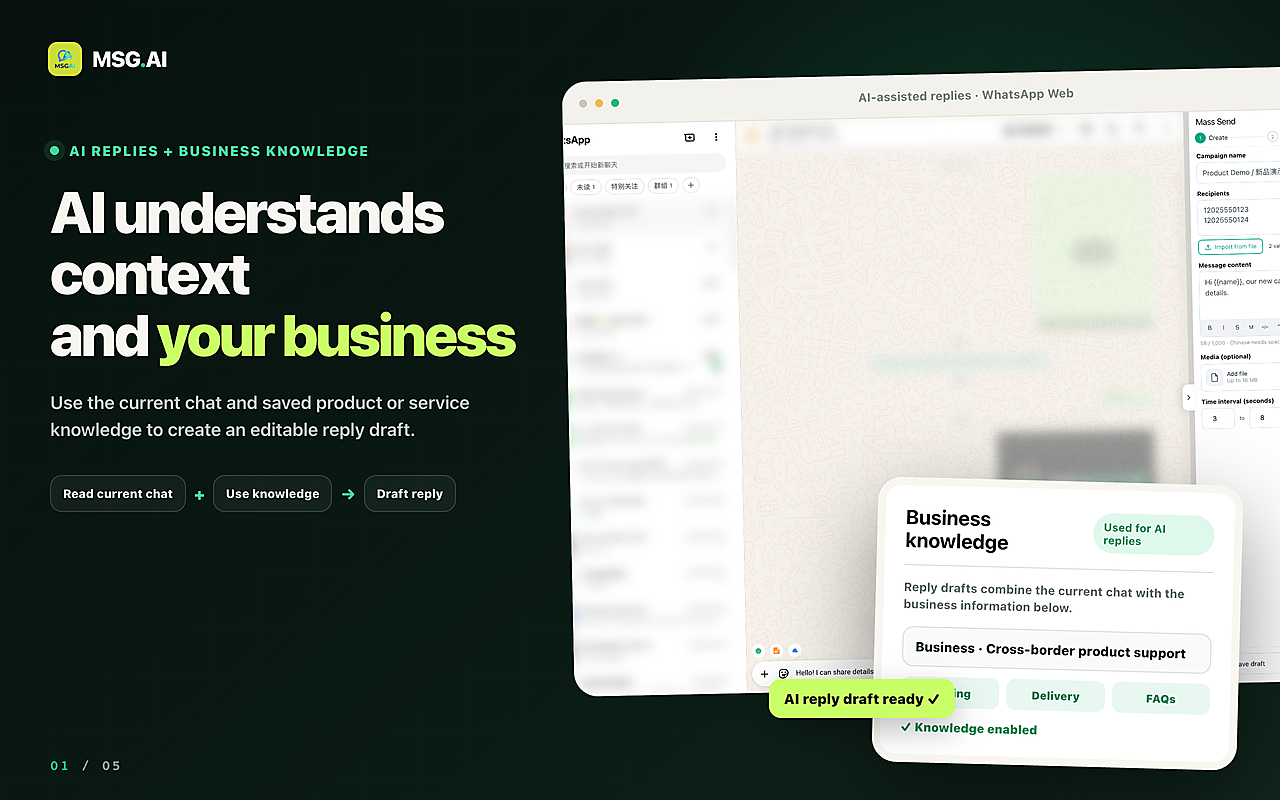
- Knowledge-base AI reply drafts for repeated questions (shipping, MOQ, returns, payment) that a person reviews before sending.
- Script library for longer approved answers than native quick replies.
- Google Drive media, so everyone sends the current catalog, price list or certificate.
- Paced bulk send of text, images and video to contacts who expect your messages, with delays you control. See the pacing guide.
- Contact, group and chat export, useful before you change or migrate a number.
- Local storage by default: task data stays in your browser unless you use cloud features such as AI translation.
MSG.AI is not affiliated with Meta or WhatsApp. It cannot get you a number, bypass verification, restore a banned number or run more accounts than WhatsApp allows. WhatsApp discourages bulk and automated messaging on its apps, and no tool can guarantee an account will not be restricted. Message people who expect to hear from you, at a human pace.
FAQ
WhatsApp Business number FAQ
Does WhatsApp Business give you a phone number?
No. You register a mobile or landline number you already own and verify it with a 6-digit code by SMS or phone call. The app itself is free; you pay only your carrier for the line.
Can I use a landline for WhatsApp Business?
Yes, on the WhatsApp Business app only. Enter the number without a leading 0, wait for the SMS timer, then choose Call me to receive the code by automated call. Extensions are not supported.
Can I use a virtual or VoIP number?
WhatsApp lists VoIP, toll-free, premium-rate and universal access numbers as unsupported. If you rent a number, make sure it is a real line that can receive SMS or calls and that you will control it long term.
Can I use the same number for WhatsApp and WhatsApp Business?
Not at the same time. Each app needs a unique number. You can move a Messenger account to the Business app, but the number then stops working on Messenger.
How many devices can use one WhatsApp Business number?
The primary phone plus up to four linked devices such as WhatsApp Web or Desktop. Meta Verified or Meta One multi-agent plans raise this to 10 where available.
How do I change my WhatsApp Business number?
Go to Settings, Account, Change number. Your profile, settings and chats move to the new number, and you can choose which contacts to notify. Update your website, links and QR codes the same day.
Does MSG.AI provide WhatsApp Business numbers?
No. MSG.AI is a Chrome extension that works inside WhatsApp Web with a number you have already registered. It adds translation, reply drafts, scripts, Drive media, paced sending and exports.
Pick a number you will own for years, then work it from your computer
Choose a mobile or landline number you control, register it in the free WhatsApp Business app, complete your profile and link WhatsApp Web for daily work. When you want translation, reply drafts, scripts, Drive media and exports inside that same tab, install MSG.AI from the Chrome Web Store.
Related guides: WhatsApp Business Web, WhatsApp Business profile, WhatsApp Business API pricing, WhatsApp account banned.
Frequently asked questions
FAQ
Does WhatsApp Business give you a phone number?
No. You register a mobile or landline number you already own and verify it with a 6-digit code by SMS or phone call. The app itself is free; you pay only your carrier for the line.
Can I use a landline for WhatsApp Business?
Yes, on the WhatsApp Business app only. Enter the number without a leading 0, wait for the SMS timer, then choose Call me to receive the code by automated call. Extensions are not supported.
Can I use a virtual or VoIP number?
WhatsApp lists VoIP, toll-free, premium-rate and universal access numbers as unsupported. If you rent a number, make sure it is a real line that can receive SMS or calls and that you will control it long term.
Can I use the same number for WhatsApp and WhatsApp Business?
Not at the same time. Each app needs a unique number. You can move a Messenger account to the Business app, but the number then stops working on Messenger.
How many devices can use one WhatsApp Business number?
The primary phone plus up to four linked devices such as WhatsApp Web or Desktop. Meta Verified or Meta One multi-agent plans raise this to 10 where available.
How do I change my WhatsApp Business number?
Go to Settings, Account, Change number. Your profile, settings and chats move to the new number, and you can choose which contacts to notify. Update your website, links and QR codes the same day.
Does MSG.AI provide WhatsApp Business numbers?
No. MSG.AI is a Chrome extension that works inside WhatsApp Web with a number you have already registered. It adds translation, reply drafts, scripts, Drive media, paced sending and exports.
Last checked October 21, 2026. Platform interfaces, policies, coverage and pricing can change. Follow the linked official sources before submitting an application or purchasing data.